You spot a brand’s Instagram profile and want to see its saved stories. Maybe you don’t have an account, or you don’t want to leave a trace. An Instagram highlight viewer can help. These web tools let you browse a public profile’s highlights from any browser. But not every tool is safe, and none can unlock a private account.
This guide explains how these tools work, what they can and cannot do, and where the risks hide. You will get a step-by-step process, a comparison table, and a safety checklist. The advice draws on Instagram’s public rules and standard online safety practice, so you can choose wisely instead of guessing.
What Is an Instagram Highlight Viewer?
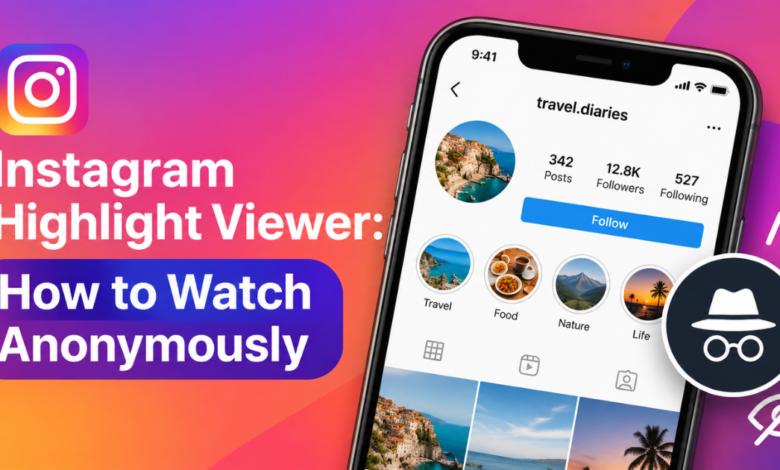
An Instagram highlight viewer is a website or app that displays the Highlights section of a public Instagram profile. Highlights are stories that a user pins to their profile so they stay visible after the normal 24-hour limit. The viewer pulls that public content and shows it on its own page. You usually type a username, press search, and start watching.
People use these tools for many reasons. Marketers study competitor campaigns. Researchers review public content. Parents check what a public account shares. Others simply want to watch without appearing in a story’s viewer list. Remember that a viewer only shows what the account owner has already made public. It does not reveal hidden, archived, or deleted content.
Most tools offer a mix of these features:
- Browse highlights by title and cover image
- Watch photos and videos in full screen
- View without logging in
- Download clips (on some sites)
- Search by username only
How an Instagram Highlight Viewer Works
Behind the scenes, the tool requests the public data tied to a username. Instagram returns highlight covers, titles, and media links that a logged-out visitor could technically access. The viewer then repackages those files in a clean player. Because the tool never signs in with your account, your name does not appear in the profile owner’s story viewer list.
Here is the basic process:
- Copy the exact username of a public Instagram account.
- Open a reputable highlight viewer in your browser.
- Paste the username into the search box.
- Select the highlight you want to watch.
- Close the tab when you finish. Do not install anything or enter your Instagram password.
Reliability varies. Instagram updates its code often, so a tool that works today may fail next week. Some viewers load slowly or show only recent highlights. If a site finds a profile but shows nothing, the account is probably private, brand new, or has no highlights. Check the spelling of the username before you assume the tool is broken.
Can You View Highlights From a Private Account?
No legitimate Instagram highlight viewer can show a private account’s content. Private profiles share highlights only with approved followers. Any site that claims otherwise is either mistaken or trying to take something from you. That usually means your login details, a survey you must complete, or a paid subscription that delivers nothing. Treat this promise as the clearest red flag you will find.
The honest route is simple. Send a follow request and wait for approval. If you know the person, ask them directly. If you manage a brand, use a transparent business account and follow openly. Respecting a private setting keeps you on the right side of Instagram’s rules, and it keeps your own accounts safe from tools that exist only to harvest data.
Highlight Viewer vs. the Instagram App
Which option is better depends on your goal. If you want a quick, anonymous look at a public brand’s highlights, a web viewer is convenient. If you want stable access, full features, and the lowest security risk, the official app wins. This table shows the main differences.
| Feature | Web highlight viewer | Instagram app |
|---|---|---|
| Login required | Usually no | Yes |
| Appears in story viewer list | No (public content only) | Yes |
| Private accounts | Not possible | Only if approved |
| Download option | Often available | Not built in |
| Privacy and security risk | Higher | Lower |
| Reliability | Changes often | Stable |
Notice the trade-off. You gain anonymity and convenience, but you rely on a third-party site that Instagram does not control. Many people use both. They check the app for accounts they follow and use a viewer sparingly for one-off research on public pages. Whatever you choose, never type your Instagram password into a viewer website.
Risks and Safe Use
Third-party tools are not affiliated with Instagram, and Meta’s terms restrict automated data collection. Breaking a platform’s terms is not the same as breaking the law, but it can get tools shut down overnight. The bigger concern is your own safety. A careless Instagram highlight viewer can run aggressive ads, push browser extensions, or phish for credentials.
Red Flags to Watch For
Spotting a bad tool takes seconds if you know the signs. If you see two or more of these, close the tab.
| Warning sign | What it usually means |
|---|---|
| Asks for your Instagram password | Phishing attempt |
| Promises private account access | Scam or survey trap |
| Forces a software or extension download | Possible malware |
| No HTTPS padlock in the address bar | Unsafe connection |
| Pop-ups that won’t close | Ad fraud or tracking |
| No privacy policy or contact page | Anonymous operator with no accountability |
Safety Checklist
Run through this list before you use any viewer:
- The site uses HTTPS
- It never asks for a password or login
- It works in the browser with no downloads
- It has a clear privacy policy
- It only shows public profiles
- You plan to respect the creator’s copyright if you save anything
Safer Alternatives
You do not always need a viewer. Try these first:
- Follow the account from a separate profile that does not use your real name
- Visit the brand’s website or link-in-bio page, where highlights are often repeated
- Ask the creator to share the content directly
- Use Instagram’s own business tools if you manage an official brand account
FAQs
People ask the same handful of questions about these tools. Here are short, direct answers based on how Instagram’s features and rules currently work.
Is an Instagram highlight viewer legal?
Viewing public content is generally allowed, but using third-party tools may violate Instagram’s terms of service. I am not a lawyer, so check your local rules if you have a business use case. Never use a viewer to harass, stalk, or copy someone’s work without permission.
Can the account owner see me?
If the viewer does not log in with your account, your name does not appear in their viewer list. That only applies to public content. Following the account or watching in the official app does show your name, so choose your method with that in mind.
Does an Instagram highlight viewer work on a phone?
Yes. Most viewers run in mobile browsers like Safari and Chrome, so you don’t need an app. Avoid any site that pushes an app install, since that is a common route for unwanted software. Mobile results also break often when Instagram changes its code.
Can I download highlights?
Some viewers offer downloads, but the content belongs to the creator. Save clips only for personal reference, or get written permission before you repost anything. Reusing someone’s highlights for marketing without consent can lead to copyright claims and account penalties.
Conclusion
An Instagram highlight viewer is a quick way to watch the saved stories of a public profile without logging in. It works by pulling public content, so it cannot open private accounts, and any site claiming otherwise is a warning sign. The trade-off is risk. Use HTTPS sites only, never share your password, and respect creators’ rights. When in doubt, follow the account the honest way or use the official app.