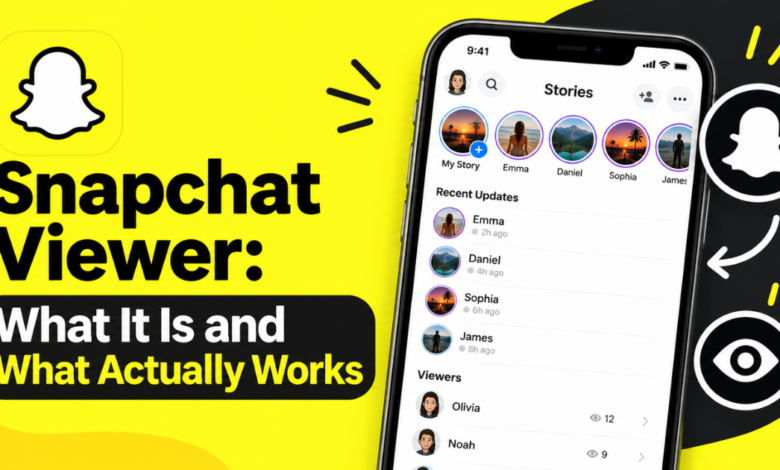
Type “snapchat viewer” into Google and you’ll find dozens of sites promising to show anyone’s Snaps. Most of them are traps. Some steal passwords. Others push you into paid subscriptions that deliver nothing.
This guide explains what a Snapchat viewer really is, which options are legitimate, and how to avoid scams. You’ll also learn what parents can do and how to protect your own account.
What Is a Snapchat Viewer?
A Snapchat viewer is any tool, website, or feature that lets you watch Snapchat content. That content includes Snaps, Stories, Spotlight videos, and public profiles. The term covers very different things. Some are official Snapchat features. Others are third-party apps that claim to unlock private content, and those almost never work as advertised.
People search for the term for different reasons. Some want to watch public Stories without opening the app. Some want to browse Snapchat on a computer. Parents want to understand what their teens see. Others hope to peek at private accounts, which is where most scams target them.
Official Features vs. Third-Party Tools
Official features come from Snap Inc. and work within Snapchat’s rules. Examples include Snapchat for Web, public profile pages, Spotlight, and Snap Map. These tools respect privacy settings. You see only what a user has chosen to share publicly or with you as a friend.
Third-party tools sit outside Snapchat. They usually ask for your username, password, or payment. Snapchat’s terms prohibit unauthorized apps, and its servers do not hand private content to outside websites. A third-party snapchat viewer that claims otherwise is either mistaken or lying.
Legit Ways to View Snaps and Stories
You have several real options, and they cover most of what people actually want. None of them require you to hand your login to a stranger. Each works within the privacy choices the other person has made.
The best method depends on your goal. Want to watch public content without installing anything? Use a browser. Want to chat from a laptop? Use Snapchat for Web. Want to see where friends are sharing from? Use Snap Map. Here are the main routes.
Snapchat Web
Snapchat for Web lets you log in at web.snapchat.com using your normal credentials. You can read and send chats, and in supported regions you can make voice and video calls from a desktop browser. It feels like a lightweight snapchat viewer for your own account.
It has limits. Support for features such as Stories and Snap sending varies by region and account. You can only see content your own account is allowed to see. Treat it as a convenient desktop companion, not a way around anyone’s privacy settings.
Public Profiles and Spotlight
Snapchat offers public profiles, mainly for creators and public figures. Anyone can open these pages in a browser, often without logging in. Public Stories and Spotlight videos can also be watched on the web. This is the closest thing to a true snapchat viewer online that works without an account.
Public means the owner chose to share it with everyone. You cannot view a private user’s content this way. If a profile asks you to add the person first, that content is not public. No legitimate viewer can change that.
Snap Map
Snap Map shows public Stories submitted from around the world. You can browse a location, such as a city event or a landmark, and watch what people posted there. It works inside the app and on the web map.
Friends can also appear on the map, but only if they turned on location sharing. Ghost Mode hides them. Snap Map is a good way to see local public content, but it will not reveal private Snaps or hidden accounts.
| Method | Account Needed? | What You Can See |
|---|---|---|
| Snapchat Web | Yes | Your chats and supported features |
| Public profiles | Often no | Public Stories and Spotlight posts |
| Spotlight | Often no | Public short videos |
| Snap Map | Yes (app) | Public Stories by location |
Do Snapchat Viewer Apps Really Work?
Almost never. Third-party viewer apps promise to show private Snaps, deleted messages, or hidden Stories. Snapchat stores private content behind authenticated accounts, and only invited friends can access it. An outside website has no legitimate path to that data.
So what do these apps actually do? Many harvest credentials through fake login pages. Others run endless surveys, install adware, or charge a subscription for a “report” that contains made-up information. Some even ask you to download software that can infect your phone.
The risks go beyond wasted money. If you type your password into a fake viewer, the operator can take over your account. They can message your contacts, post in your name, or lock you out. Snapchat may also suspend accounts that connect to unauthorized apps.
Compare the two categories side by side:
| Feature | Official Snapchat Tools | Third-Party Viewer Apps |
|---|---|---|
| Respects privacy settings | Yes | No (claims otherwise) |
| Requires your password elsewhere | No | Often |
| Risk of account loss | Low | High |
| Can show private Snaps | No | No, despite claims |
| Cost | Free | Often subscription or survey |
Can You View Someone’s Snapchat Without Them Knowing?
You can watch public content without the creator knowing who you are in some cases, such as viewing a public profile in a browser. Once you log in and open a Story, the owner can usually see that you viewed it. Snapchat shows Story viewers to the account that posted.
For private content, there is no safe, legitimate way to look secretly. Any tool claiming to do so is deceptive, and secretly accessing another person’s account may also break the law. If you have a real concern about someone, talking to them directly works better than any hidden viewer.
Think about the situation before you search for workarounds. Here are better responses to common motives:
- Curious about an ex or a crush: Give it space. Secretly checking rarely brings peace.
- Worried about a friend’s safety: Reach out directly or involve a trusted adult.
- Suspicious of a partner: Have an honest conversation or seek counseling.
- Concerned about a child: Use Snapchat’s parental tools, covered next.
Snapchat Viewer Options for Parents
Parents often search for a snapchat viewer because they worry about what teens see and who contacts them. That concern is reasonable. The good news is that Snapchat offers an official tool built for this purpose, so you don’t need sketchy apps.
Open conversation helps even more than software. Teens tend to hide things when they feel spied on. Explain your worries, set shared rules, and agree on which tools you’ll use together. Transparency builds trust, and trust keeps teens talking when something goes wrong online.
Family Center Basics
Family Center lets parents connect their account to a teen’s account. Once your teen accepts the invitation, you can see their friend list and who they’ve messaged recently. You cannot read the actual messages or view their Snaps.
You can also report concerning accounts through Family Center and set content controls for what appears in Stories and Spotlight. To start, follow these steps:
- Create your own Snapchat account if you don’t have one.
- Open your profile and find Family Center in settings.
- Send an invitation to your teen’s account.
- Ask your teen to accept it.
- Review friend lists and content controls together.
How to Spot a Fake Snapchat Viewer
Scam sites look polished, so you need a checklist. Run any tool through it before you enter a single detail. One red flag is enough to walk away.
Use this quick checklist:
- Does it claim to show private Snaps or deleted messages?
- Does it ask for a Snapchat username and password?
- Does it demand surveys, payments, or app downloads first?
- Does it lack a real company name, address, or privacy policy?
- Does it promise instant results with no effort?
- Do reviews look copied or too perfect?
If you answered yes to any of these, close the page. If you already entered your password, change it right away, turn on two-factor authentication, and review which apps have access to your account. Then check your Snapchat settings for unfamiliar logins.
Prevention also protects you. Use a strong, unique password. Keep your own privacy settings tight by choosing who can contact you and who can view your Story. Those settings keep your own content away from anyone using a questionable snapchat viewer.
FAQs
Is there a free Snapchat viewer that works?
Yes, but only the official ones. Snapchat for Web, public profiles, and Spotlight are free and legitimate. They show only content that people chose to share. Free tools claiming to unlock private accounts are not real.
Can I use a Snapchat viewer without an account?
Partly. Public profiles and Spotlight videos can often be watched in a browser without logging in. Chats, private Stories, and friend content all require an account and the owner’s permission.
Is it legal to use a Snapchat viewer?
Using official features is legal. Using tools to access someone’s private account without permission can violate Snapchat’s terms and, depending on the situation, laws against unauthorized access. When in doubt, don’t do it.
Can a Snapchat viewer see deleted Snaps?
No. Snaps are designed to disappear after viewing or expiring, and no outside viewer can recover them reliably. Apps promising this are usually scams.
Conclusion
A Snapchat viewer is only worth using when it is an official feature. Snapchat for Web, public profiles, Spotlight, and Snap Map let you watch what people choose to share. Third-party tools that promise private Snaps put your account, money, and device at risk.
Parents should lean on Family Center and open conversation instead of spyware. Everyone else should respect privacy settings and use the checklist above to spot scams. Stick to legitimate options, and your next snapchat viewer search will end with answers instead of regret.