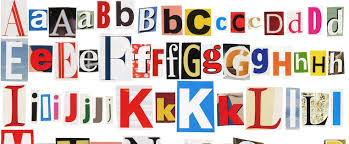
Fonts play a crucial role in design, be it for websites, graphics, or documents. The right font can significantly impact the visual appeal and readability of your content.
Fortunately, there are numerous resources available online where you can download fonts for free.
In this guide, we will explore various methods and sources for obtaining free fonts, ensuring you can find the perfect typeface for your needs.
Why Use Free Fonts?
Before diving into where to find free font generator, it’s essential to understand why using free fonts can be beneficial:
- Cost-Effective: As the name suggests, free fonts come at no cost, making them an excellent option for designers on a budget.
- Variety: There is a vast selection of free fonts available, offering a range of styles to suit any project.
- Accessibility: Free fonts are easily accessible and can be downloaded and installed quickly.
Best Websites to Download Free Fonts:
- Google Fonts:
Google Fonts is one of the most popular resources for free fonts. It offers a vast collection of typefaces that are free to use for both personal and commercial projects. The website’s user-friendly interface allows you to preview and compare different fonts before downloading.
- Font Squirrel:
Font Squirrel is a fantastic resource for high-quality, hand-picked fonts that are free for commercial use. The website offers a wide variety of fonts and even provides a font identifier tool.
- DaFont:
DaFont is a widely-used website that offers thousands of free fonts in various categories, such as fancy, script, gothic, and more. It’s an excellent source for unique and creative typefaces.
- 1001 Free Fonts:
1001 Free Fonts is another great source for free fonts. The website is easy to navigate and offers a diverse collection of fonts for different purposes.
- Behance and Dribbble:
Behance and Dribbble are platforms where designers showcase their work, including fonts. Many designers offer their fonts for free download as part of their portfolio.
How to Install Fonts:
Once you have downloaded the fonts, you’ll need to install them on your computer. Here’s a quick guide on how to do it for different operating systems:
- Windows:
- Unzip the downloaded font files if they are in a compressed folder.
- Right-click the font file (.ttf or .otf) and select “Install.”
- Alternatively, you can drag and drop the font file into the Fonts folder in Control Panel.
- Mac:
- Unzip the downloaded font files if they are in a compressed folder.
- Double-click the font file (.ttf or .otf) and click “Install Font” in the preview window.
- The font will be installed and available in Font Book.
- Linux:
- Unzip the downloaded font files if they are in a compressed folder.
- Open the terminal and navigate to the directory where the font files are located.
- Use the command sudo mv *.ttf /usr/share/fonts or sudo mv *.otf /usr/share/fonts to move the font files to the system fonts directory.
- Run fc-cache -fv to refresh the font cache.
Tips for Using Free Fonts:
- Check the License: While the fonts mentioned above are free, it’s essential to check their licensing terms to ensure they are free for your intended use, especially for commercial projects.
- Use Font Management Tools: If you frequently download and use fonts, consider using font management tools to organize and manage your font library efficiently.
- Pair Fonts Wisely: When using multiple fonts in a project, ensure they complement each other. Pairing fonts that work well together can enhance the overall design.
Conclusion:
Downloading fonts for free is a straightforward process, thanks to the abundance of resources available online. Websites like Google Fonts, Font Squirrel, DaFont, and others offer a wide range of typefaces suitable for various projects.
By following the steps outlined in this guide, you can easily find, download, and install free fonts to elevate your designs. Remember to check the licensing terms and use fonts responsibly to make the most out of these valuable resources.